Crowley ISD Instructional Technology
  • Student/Parent Resources
    • Secondary Student Laptop Information
  • Teacher Resources
    • Instructional Technologist Blog
    • Digital Badges
  • CISD Tech Expo
    • Tech Expo 2018
    • Tech Expo 2017
    • Tech Expo 2016
    • Tech Expo 2015
  • Contact
  • Technology

Tools for Studying Historic or Literary Characters

1/19/2016

0 Comments

 
Students can really demonstrate their knowledge about a historic or literary character with these two tools.
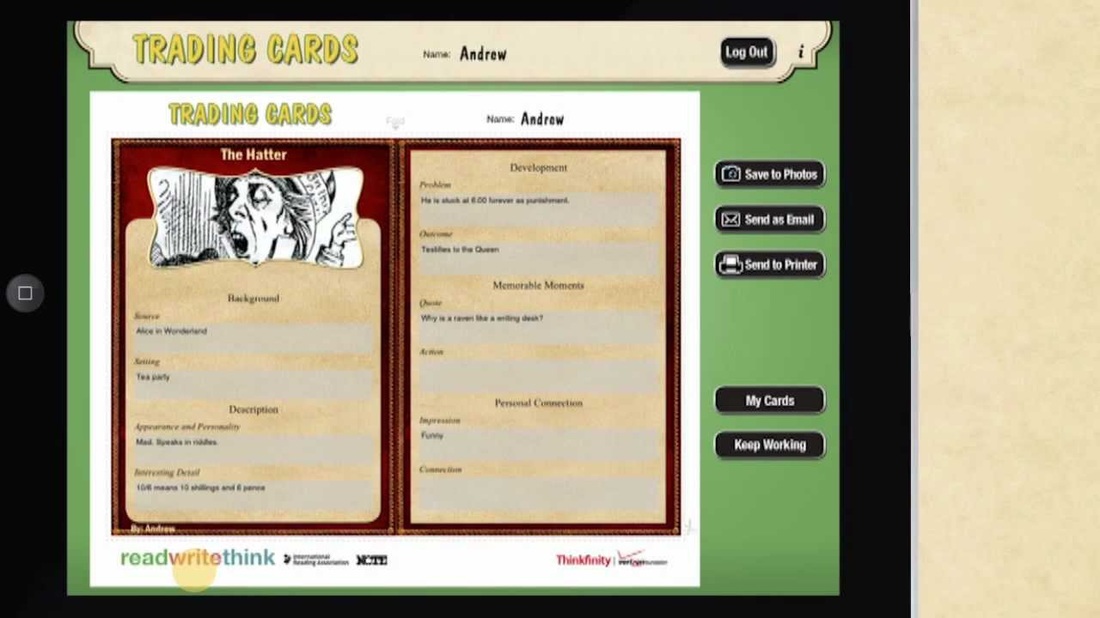
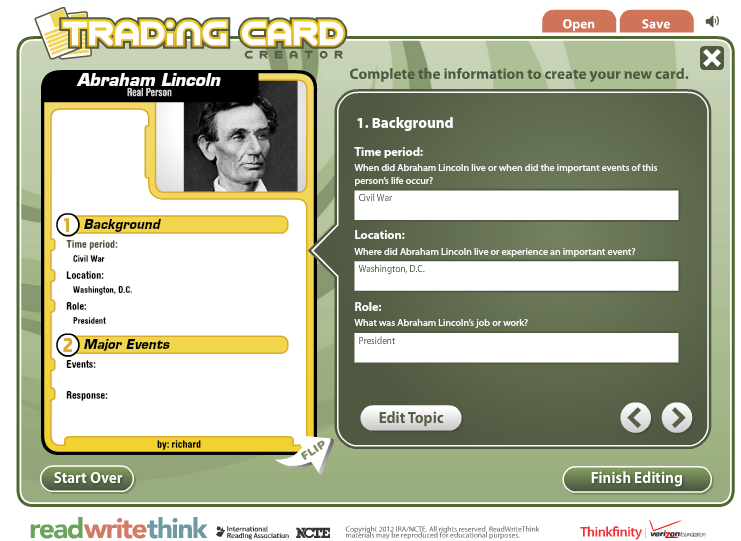
Trading cards is both an iPad app and website  that allow students to create and share short informational cards on their character or term.  Students follow the prompts to describe their character. 
Picture
Picture
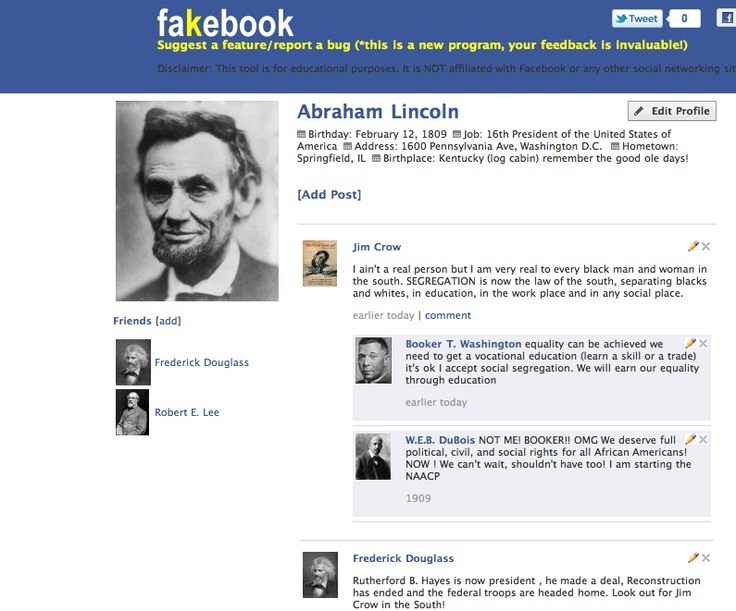
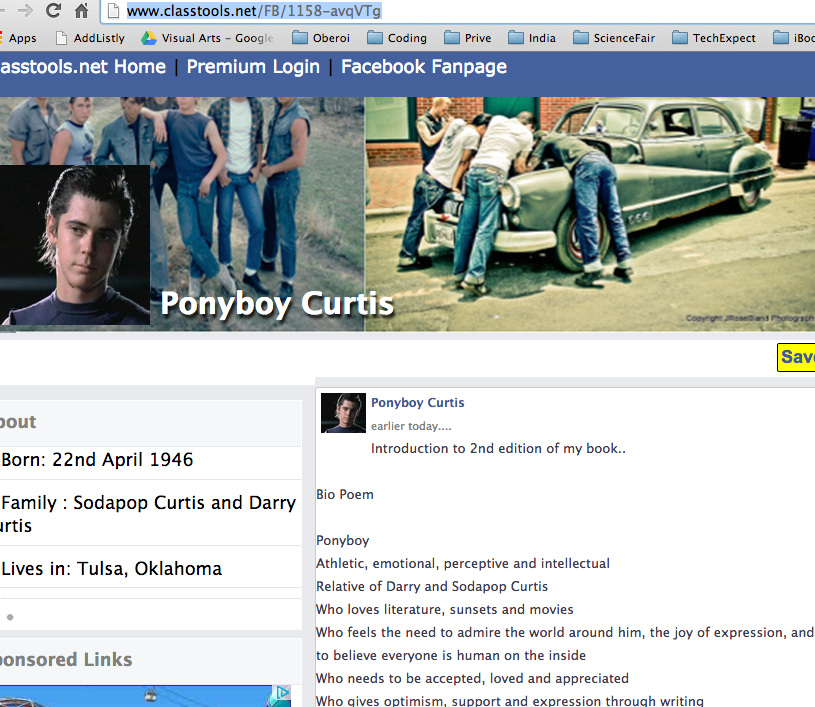
Fakebook allows students to build a Facebook like webpage for their characters. Students can include friends, likes, and status updates. 
Picture
Picture
0 Comments

Hour of Code Comes to CISD

12/4/2015

0 Comments

 
​ Computers are everywhere, but fewer schools teach computer science than 10 years ago. Good news is, we’re on our way to change this. If you've heard about the Hour of Code before, you might know it made history. More than 100 million students have tried an Hour of Code.
With the Hour of Code, computer science has been on homepages of Google, MSN, Yahoo! and Disney. Over 100 partners joined together to support this movement. Last year, every Apple Store in the world hosted an Hour of Code and even President Obama wrote his first line of code as part of the campaign.
This year, let's make it even bigger. We’re asking every elementary, intermediate, and middle school campus in Crowley to join in for the Hour of Code 2015. We would love to see your campus get involved with an Hour of Code event during Computer Science Education Week, December 7-13. Here’s what you can do.
  1. Plan: Talk to teachers about the Hour of Code. A free coding app will be loaded Absolute Apps on the K-6 iPads.  On computers you can use the programs Angry Birds, Tynker, Scratch, Lightbot .
  2. Promote: Make announcements on campus, send emails home to parents, post blurbs in school newsletters, and show students videos about coding and computer science.
  3. Prepare: Think about how to distribute the devices. Two students can work together on the same iPad.  Any class with a set of 12 iPads will have enough devices for 24 students.  Two classes can share a set of 12; one class using the devices in the morning the other in the afternoon. Teachers can work with their teams to best distribute the devices for use.
  4. Code: Set aside a time for students to code with these apps. For example, everyone’s math lesson on Wednesday could be to code with a partner on an iPad.
  5. Celebrate student success. Print certificates or stickers for students. Talk about what you have learned and how they can extend the learning.
We are excited that Crowley ISD is going to be part of this international program. We would like to help you facilitate in any way possible. Please let us know how we can help.
 
Jan Hodge, District Library Media Specialist, Elementary
Carol Hafer, District Library Media Specialist, Secondary
Michelle Bothel, District Elementary Instructional Technologist
Lynne Ryan, Computer Science Teacher, NCHS
0 Comments

History, Technology, and Turkey

10/16/2015

0 Comments

 
Picture
If you are a secondary history, government, geography, journalism, or English teacher you need to learn about "The Great Thanksgiving Listen"  by StoryCorps. This program encourages middle and high school students to take some time over Thanksgiving to interview older relatives and publish them as part of the StoryCorps collection. Visit the site and download the free teacher toolkit and IOS or Android app. 

​-Michelle

0 Comments

Free guides on technology integration

3/9/2015

 
Picture
Educational Technology and Mobile Learning has been working diligently on a variety of educational technology guides for teachers and educators. The majority of them have been posted here and, thankfully, have received a huge and unprecedented interaction from their readers.

These guides come in very handy for every teacher looking to better integrate technology into his/her teaching. They are very simple,developed in a step-by-step process,  illustrated by pictures, diagrams, video tutorials, and examples, and concluded with a webliography containing links to a variety of other websites relevant to the topic under discussion. Pedagogical implications are included in the review of the web tools featured in the guides. 
These guides are completely free for you to use and all that is asked by Educational Technology and Mobile Learning is that you pay credit to Educational Technology and Mobile Learning if you want to reuse them somewhere else.
- Stacey Dudzinski

Fun classroom game templates for PowerPoint

3/4/2015

 
Picture
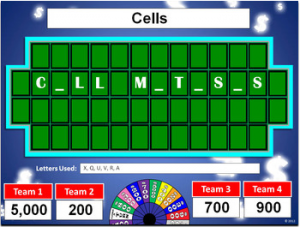
Teachers can create interactive and fun games in their classes by using these fun game PowerPoint templates. These games are perfect for engaging your students in learning, particularly for reviews. Games included are Classroom Feud, Classroom Jeopardy, and Wheel of Riches (as seen above) and other game show/board game-based games.  
http://bestteacherblog.com/powerpoint-game-templates/ 
- Stacey Dudzinski

EdPuzzle

3/2/2015

0 Comments

 
www.edpuzzle.com I have always liked the idea of a flipped classroom, especially as a former high school math teacher. I ran with the flipped classroom my final 2 years in the classroom, but when students watched their lessons I had no way of knowing who was prepared coming into class. EdPuzzle can help with this. EdPuzzle takes videos from sites such as YouTube, National Geographic, TedTalks, and many others or you can upload your own video. This last feature is really cool as YouTube is blocked for most student access. EdPuzzle allows you to break up a video and ask questions through key parts of the lesson to check for understanding. It also allows you to crop the video so that you are only showing the part of the video you need. Students are also given the option to re-watch that section of the video if they need to. The teacher can then check on their understanding of the topic by viewing the results and see how many times the student re-watched it or if they saw the whole video. Below is an example. Oh, did I also mention that this is free! - Casey
www.edpuzzle.com

I have always liked the idea of a flipped classroom, especially as a former high school math teacher. I ran with the flipped classroom my final 2 years in the classroom, but when students watched their lessons I had no way of knowing who was prepared coming into class. EdPuzzle can help with this. EdPuzzle takes videos from sites such as YouTube, National Geographic, TedTalks, and many others or you can upload your own video. This last feature is really cool as YouTube is blocked for most student access. EdPuzzle allows you to break up a video and ask questions through key parts of the lesson to check for understanding. It also allows you to crop the video so that you are only showing the part of the video you need. Students are also given the option to re-watch that section of the video if they need to. The teacher can then check on their understanding of the topic by viewing the results and see how many times the student re-watched it or if they saw the whole video. Below is an example. Oh, did I also mention that this is free!

- Casey
0 Comments

Free Microsoft 365 eBook

3/2/2015

 
Picture
This eBook examines a list of teaching and learning scenarios. It describes some of the ways in which hardworking teachers might be dealing with those scenarios now and how one or more of the functions of Office 365 can make things easier and better.Click here for the free download. - Stacey Dudzinski

Everyone Loves A Smore (page)

12/18/2014

 
Picture
Ever feel like your students aren't on the same page?  Tired of always having to remind students where to find a resource?  A Smore page is a super-easy tool for creating digital content.  Officially, Smore advertises as a digital flyer creator, but I have found it to be a great interactive online resource.   Instead of just handing out that tired worksheet from 1987, use a Smore page to link webpages, apps, and other information all in one place. Instead of having your students type in that url or search for an app, just post it on a Smore page and all of your digital content is available to anyone with an internet connection.  A Smore page is also a great way to keep the flow of your lesson going.  Here's a Smore page I created for a training on Digital Organizers:
GRAPHIC ORGANIZER SMORE PAGE
Unfortunately, the marshmallow isn't included with this tool, but it is pretty sweet!  Create your own free digital flyer at smore.com!

~ Chris

BLOCKPOSTERS.COM

12/16/2014

 
Picture
Picture
Picture

BLOCK POSTERS


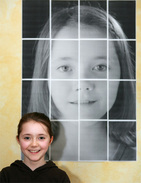
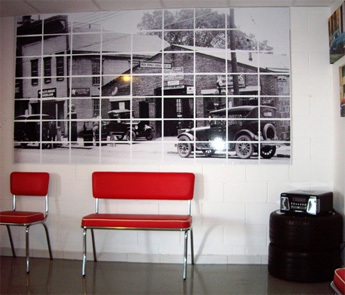
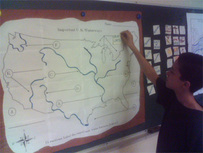
BlockPosters.com is a simple online tool that creates big results.  This tool allows users to upload a picture, choose a size, and download the finished product.  Using "tile" printing techniques, this program can increase the size of any photo to an incredible 10 page wide image.  This is a great way to draw attention in a BIG way! Get creative with whatever subject you teach with blockposters.com​​​​​​​​​​


-Chris

Augmented Reality - Aurasma

11/21/2014

 
Picture
Aurasma is an Augmented Reality (AR) programs that bring simple pictures to life.  Think of how on Harry Potter the newspaper article talks to the reader - it is very similar, but you are using a wireless device.

Watch the video below to see Aruasma AR in action:

Aurasma in action

Timothy Grijalva
<<Previous
Forward>>

    Categories

    All
    21st Century Teaching
    Assessment
    Blended Learning & Flipped Classroom
    Digital Citizenship
    District Spotlight
    Emerging Technology
    Games And Gamification
    IPads And Apps
    Multimedia/Digital Projects
    Professional Development
    Research
    Special Populations
    Web Tools

    Archives

    November 2017
    October 2017
    September 2017
    August 2017
    May 2017
    April 2017
    March 2017
    February 2017
    January 2017
    December 2016
    November 2016
    October 2016
    September 2016
    August 2016
    July 2016
    June 2016
    May 2016
    April 2016
    March 2016
    February 2016
    January 2016
    December 2015
    November 2015
    October 2015
    September 2015
    May 2015
    April 2015
    March 2015
    February 2015
    January 2015
    December 2014
    November 2014

    RSS Feed

Powered by Create your own unique website with customizable templates.
Photo from jimbowen0306